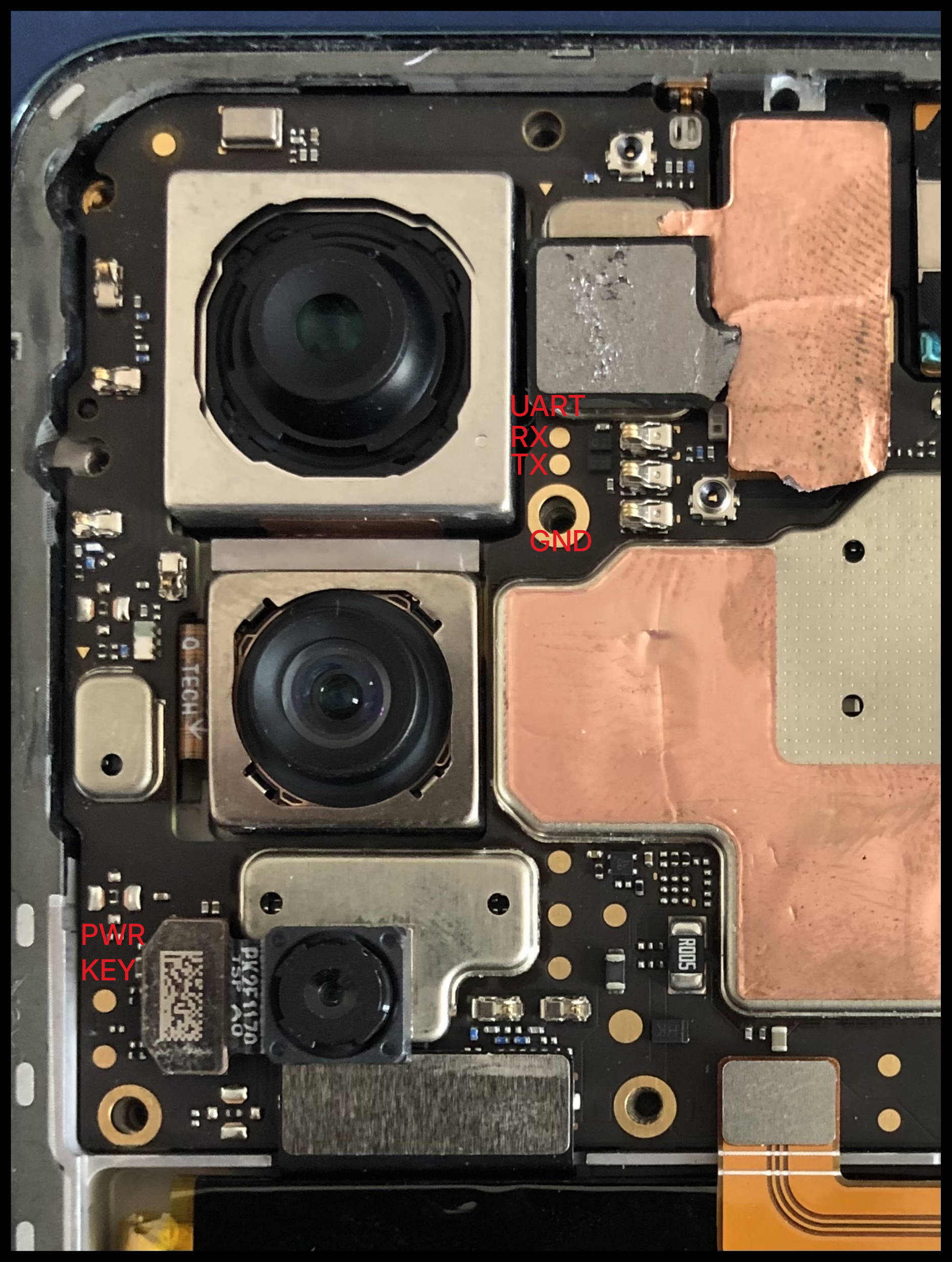
Motorola Edge 30
Disassembling the phone
The back cover of the phone is made of plastic and can be delaminated very easily if warmed up too much.
Warm up the phone with a hair dryer
Use a suction cup on the bottom of the back cover to create a gap in the adhesive
Cut the adhesive with a thin plastic spudger
Move the spudger clockwise aroung the back cover
Pull the battery cover towards the bottom, the camera decoration should stay on the phone.
Use a shim to gently detach the camera decoration
Remove the 10 motherboard plastic cover screws
You should see the motherboard
Soldering UART
The UART test points are available to the right of the main back camera.